Short thoughts, work in progress, lessons learned, & the occasional personal update.
I’m continuing an Elementor project, and I can see myself building custom solutions around it again.
For growing sites with heavy dynamic data and conditional layouts, it’s not really its strongest area.
But it’s still great for marketing sites and for less technical users. Also noticed it now has an MCP, which is a nice plus if you’re using AI.
Posted 3 days ago
Almost done with the design plans for all the dynamic systems on a tradie company web design project.
8 structured data systems in one project. Connecting and strategizing everything so it all works from day one.
I guess freelancing feels fulfilling once you’re done with this kind of project. But the process behind it? That’s a bit overwhelming.
Posted September 20, 2026
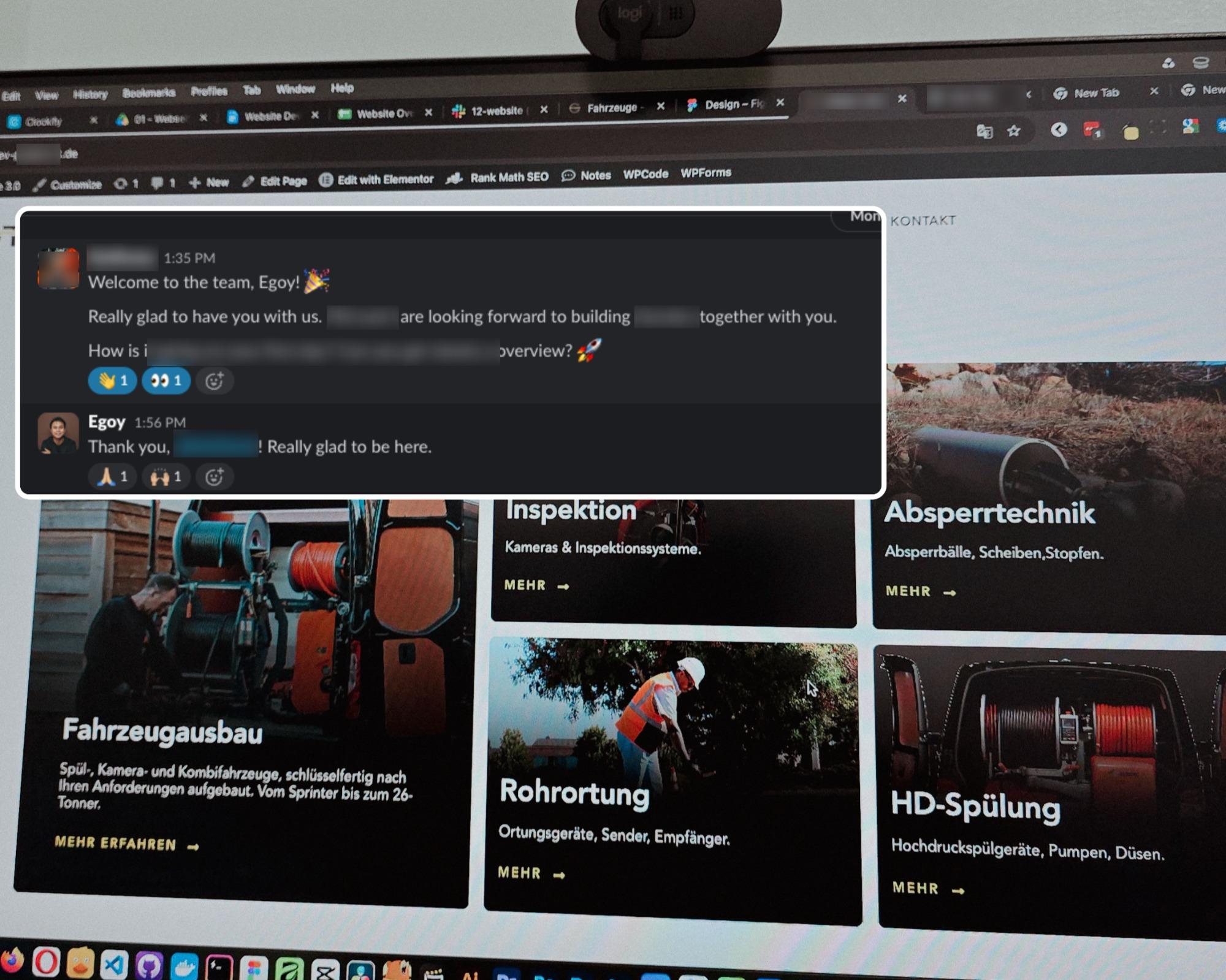
Started a new project for a B2B equipment dealer in the sewer and pipe industry based in Germany.
This time I’m not starting from scratch though, the previous provider left it at about 15% progress so I’m just picking up where they left off.
The only real challenge? The language. Shifting from English to Deutsch 😅
Hallo zusammen 👋
Posted September 18, 2026
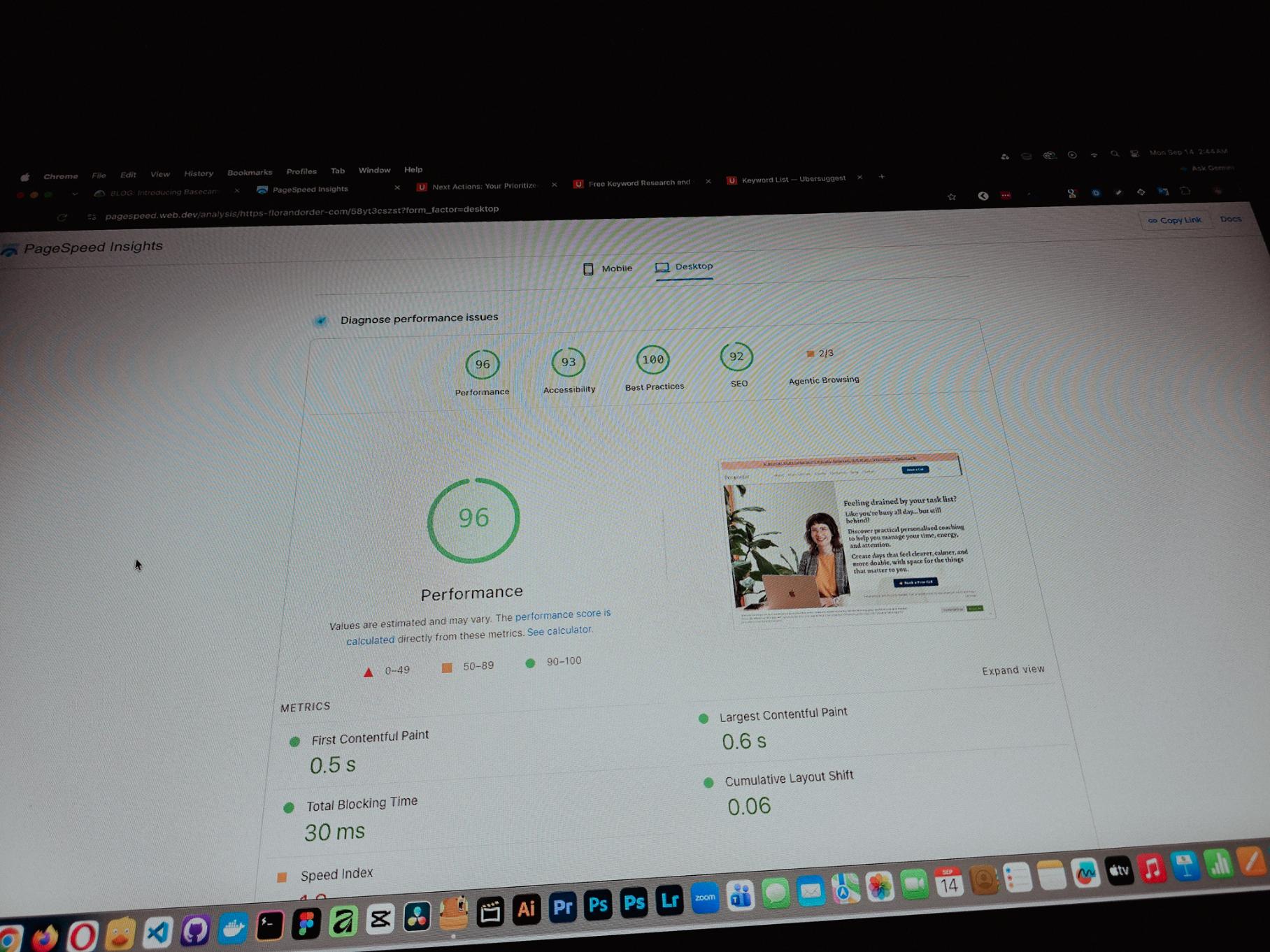
Currently working on one of my monthly site care tasks, checking the speed of a client site. And it’s still performing well. These routine checks don’t look exciting but they keep things running the way they should.
Speed is one of the hardest things to improve on a website because there are so many factors like server, how the pages are built, and the tools used to build them. But I’m still glad I was able to improve this one.
Posted September 13, 2026
One thing you can’t really control when handling projects is the timeline. It can shift at any point, especially when you’re working with trade businesses.
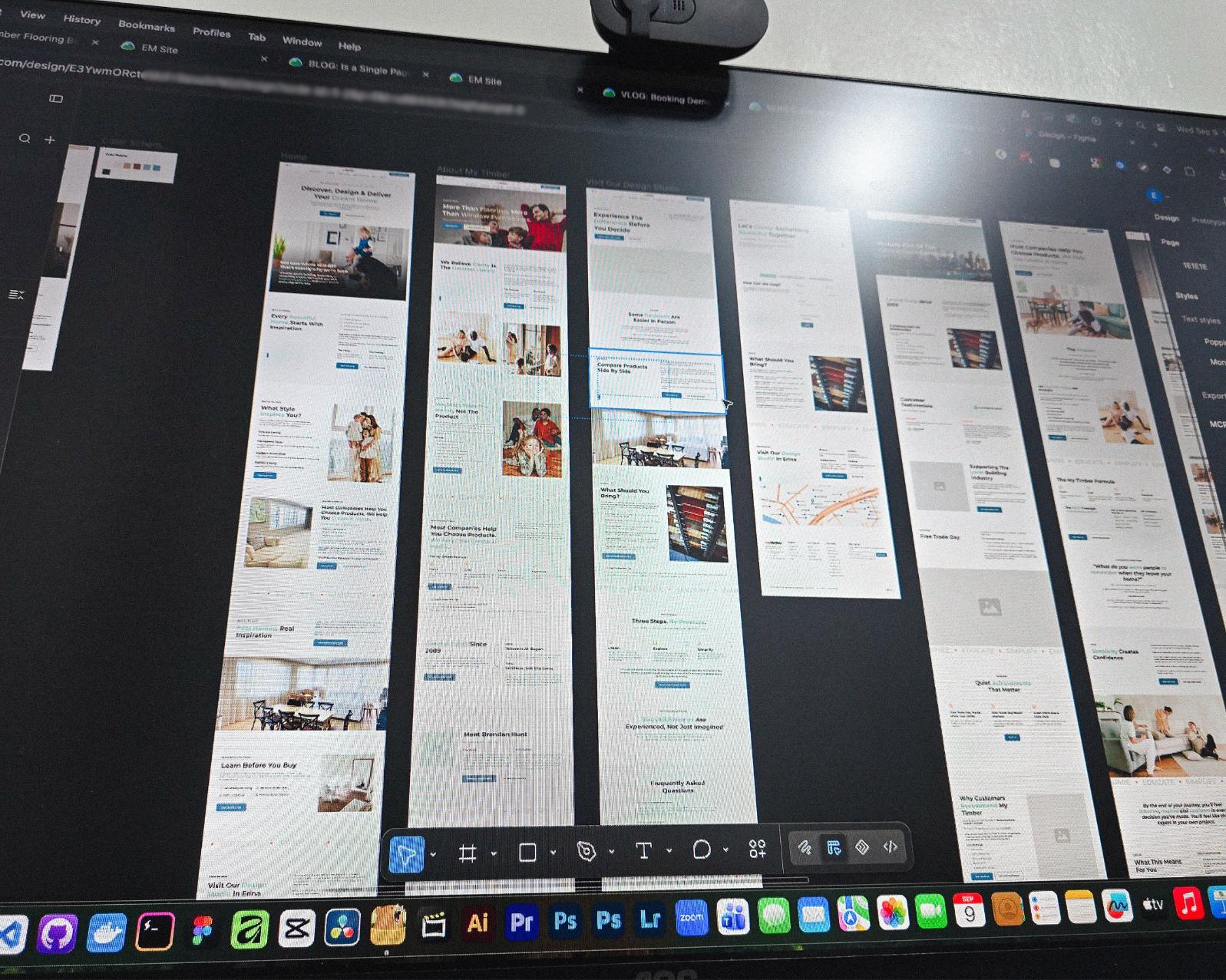
Just picked up the design phase of the flooring company project again. Glad I’m already done with the major pages and just working on the Learning Resources and Projects dynamic pages now.
Posted September 9, 2026
Been using Basecamp for project management since I started freelancing.
I’ve tried the more popular ones, but Basecamp is still one of the most straightforward tools out there.
Btw I’m almost done with a new post on how I onboard client projects using it.
Posted September 3, 2026
Since I left my corporate job last year to go full-time freelancing, I’ve been putting a lot more effort into this website.
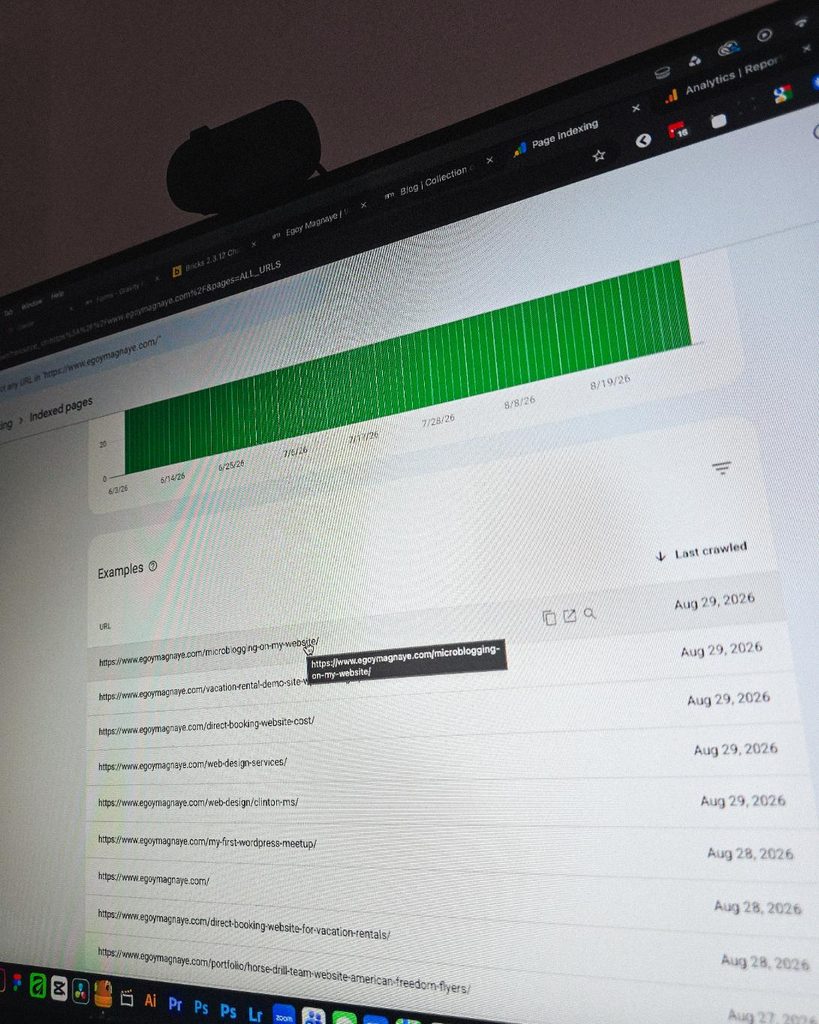
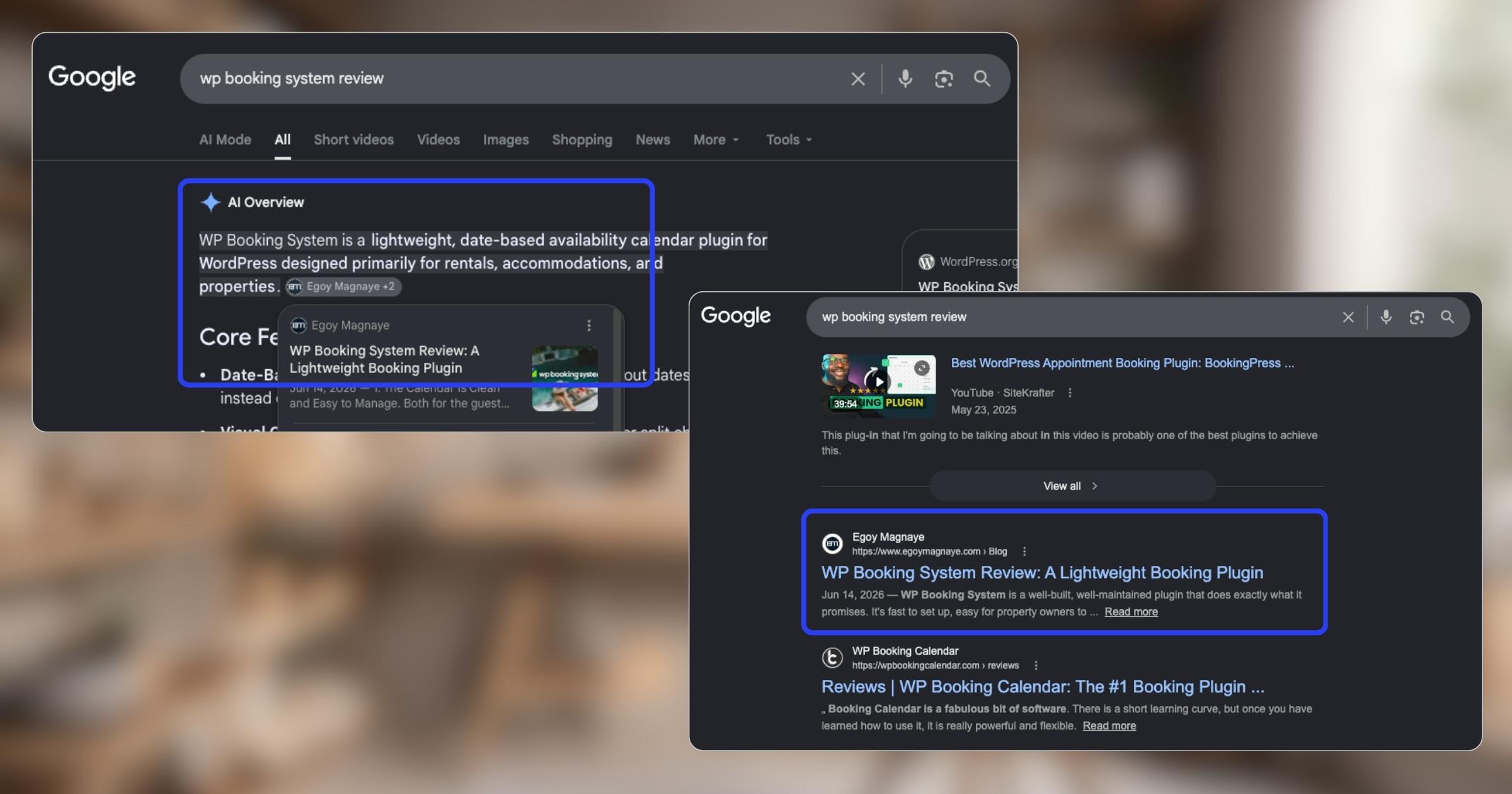
And one of the most rewarding things so far is how much easier it is to get content indexed by Google.
Just added a new post and it got indexed almost immediately.
Posted September 1, 2026
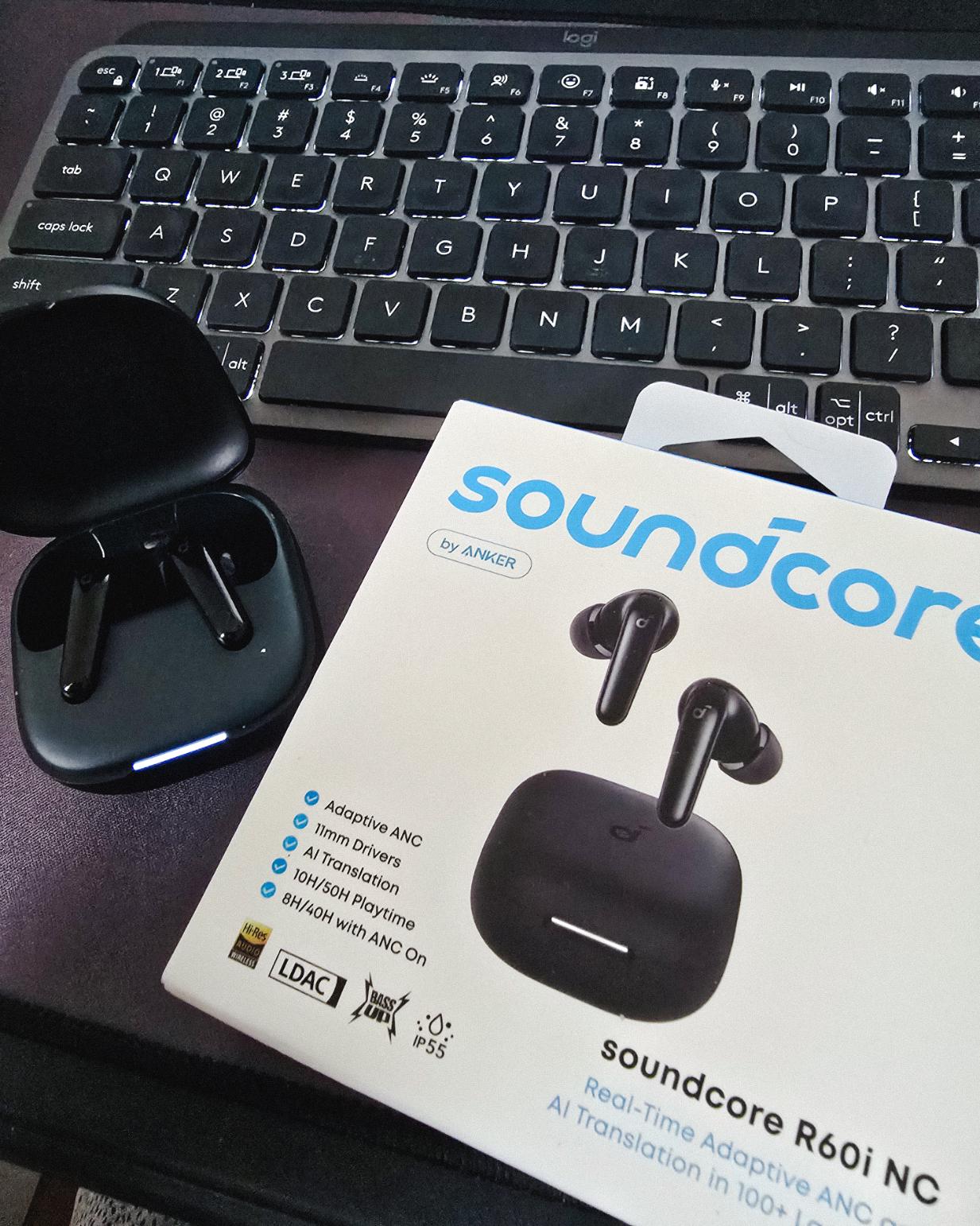
Got my new earbuds from Anker and I’m really liking the noise cancellation so far. Been using the one from Baseus for 2 years and it finally needed a replacement.
Looks small but this pair really helps when I need to focus.
Found some old clips of my website designs done on Adobe XD. Different versions of my site over the past 10 years. A lot of testing and trial and error. It’s been a journey.
Had to switch to Figma with all the issues around XD being phased out.
Posted August 26, 2026
I can’t remember if they’re going to post recordings of the 2-day event, but I was still able to gather some insights from my phone and memory 🙂
I’m at the point where I want to offer businesses stuck on WPBakery a free rebuild.
Nah maybe a discount 😅
But seriously, if you’re going with WordPress, at least use a solid page builder like Bricks (my bias), Beaver, Divi, or Elementor. Launching a site is just a small part of it.
Building new pages and optimizing over time is the long game, and your site builder matters for that.
Posted August 17, 2026
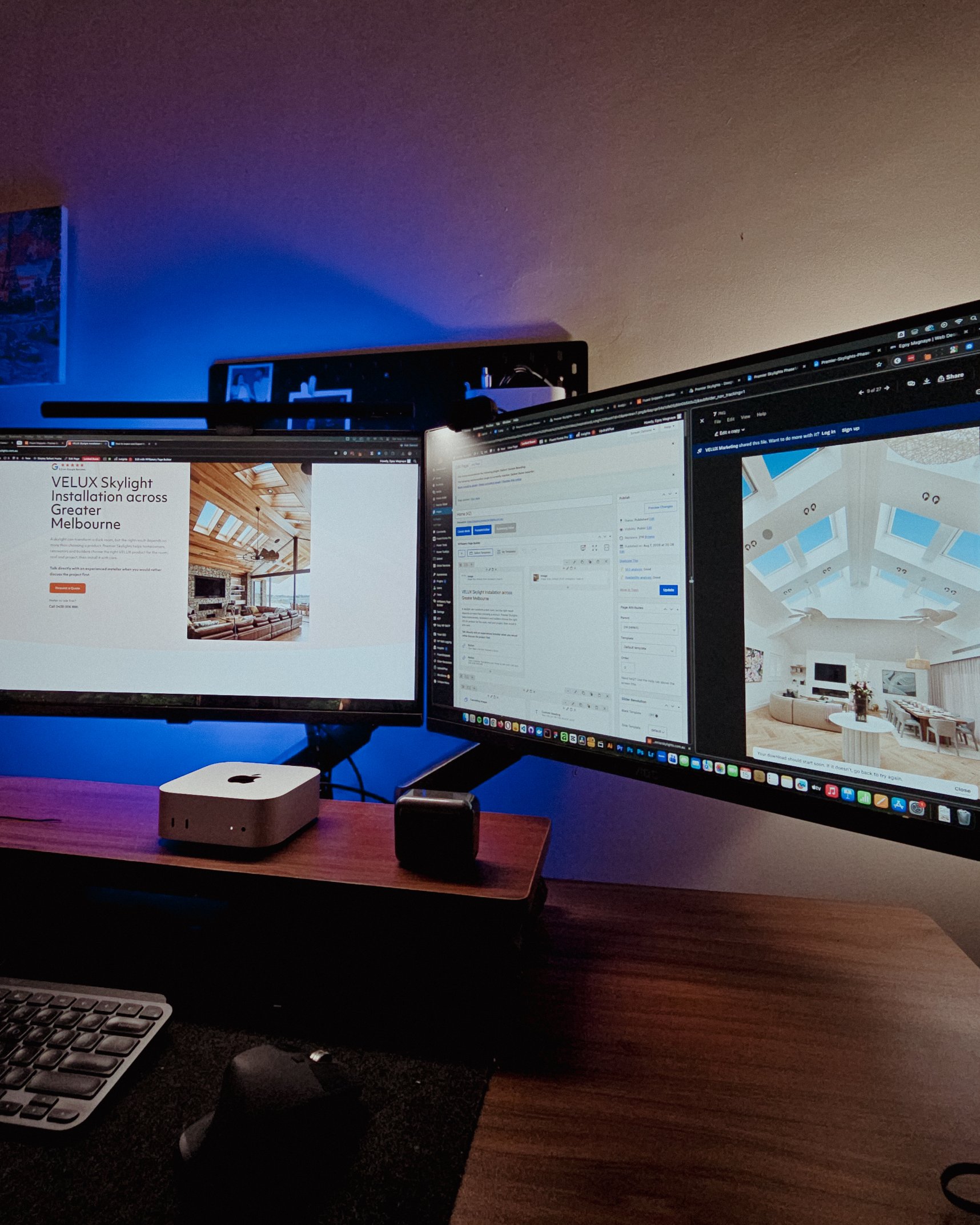
Been handling website projects in the home improvement space, especially clients in AU.
Looking at these skylight photos all day got me thinking. What’s it like living in a house with a transparent roof like that? Then I imagined having one here in PH. Sounds great when it rains. Then summer hits 😂
jk, these skylights are actually automated and packed with features.
Posted August 15, 2026
WPBakery might be the only page builder where the experience is equally rough whether you’re using backend or frontend editing. Divi handles this way better.
Sorry, I keep comparing these two because they both offer both modes, but the quality gap is real. Credit to the Divi team for getting that right!
Posted August 14, 2026
Got a chance to attend the HighLevel Manila 2-day event!
I just realized I wasn’t able to record everything. Now I’m trying to piece together all the info I remember and the photos I have.
The insights they shared were pretty overwhelming 😅
Posted August 10, 2026
I have an urgent page build using WPBakery. Although we have a 1-week deadline, I’m confident I can deliver. But seriously, at least give us a custom CSS field per widget. Even Divi has that!
I’m not really the type to rant about tools I use for work. I get that every builder is built differently. But every time I have a project using this one, it just takes so much longer than it should.
Posted August 8, 2026
You know, one thing that still bugs me is not asking my old clients to leave their review on my Google Business page.
I just collected them through email or other apps. Should’ve known better 😬
Posted August 7, 2026
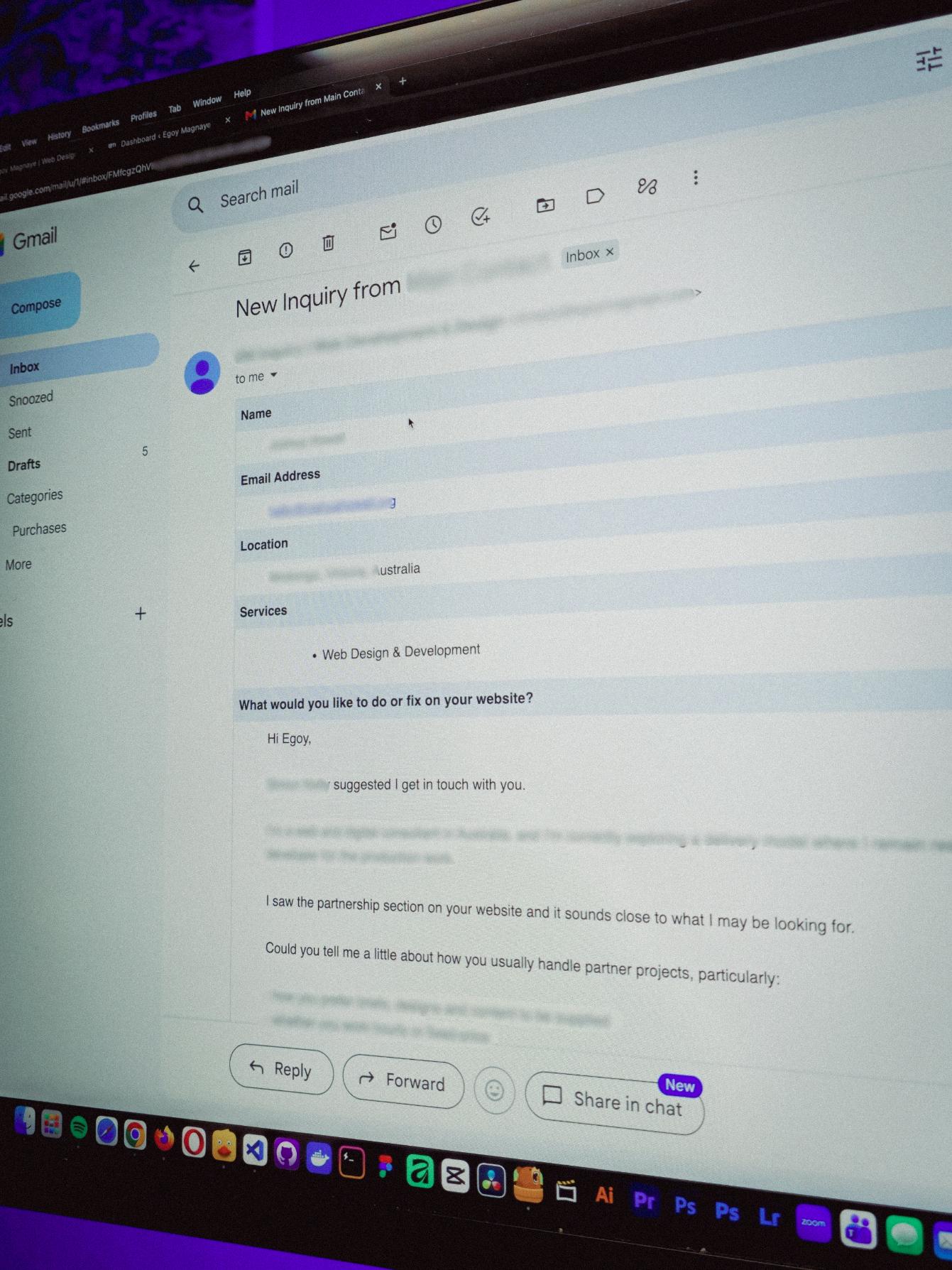
You know what makes doing this stuff worth it? People who still remember you and refer you even if you haven’t spoken in a long time!
Just got an inquiry! Turns out someone I spoke with 2 years ago referred them. As a small service provider, that kind of thing means a lot 🙂
Posted August 4, 2026
Late night timelapse of us getting things done. I don’t know why, but I always feel more productive at night.
Also, I just recently got that standing desk, and I can’t appreciate enough how helpful it is when you’re getting older 😂
Posted July 31, 2026
Table of contents
YITH Booking & Appointment Review: Building a Vacation Rental Website
Last updated on September 01, 2026
15 mins read
Reader Disclosure
Disclosure: I may occasionally include affiliate links in my posts or pages. If you click on one of these links and make a purchase, I may receive a small commission, which helps me keep this website running and create more useful content. However, this does not affect my opinion on the product or service in any way. I only recommend products and services that I truly believe in and use myself.
If you want to build a vacation rental website and manage all your bookings without relying on third-party platforms like Booking.com or Airbnb, choosing the right booking system can make or break the project. I recently worked on upgrading an existing hotel & resort website by adding a proper booking system to replace their Google Forms setup.
YITH Booking and Appointment for WooCommerce is a WordPress booking plugin designed for rental properties and accommodation providers. It offers a straightforward rental setup that’s flexible enough for real bookings without unnecessary complexity.
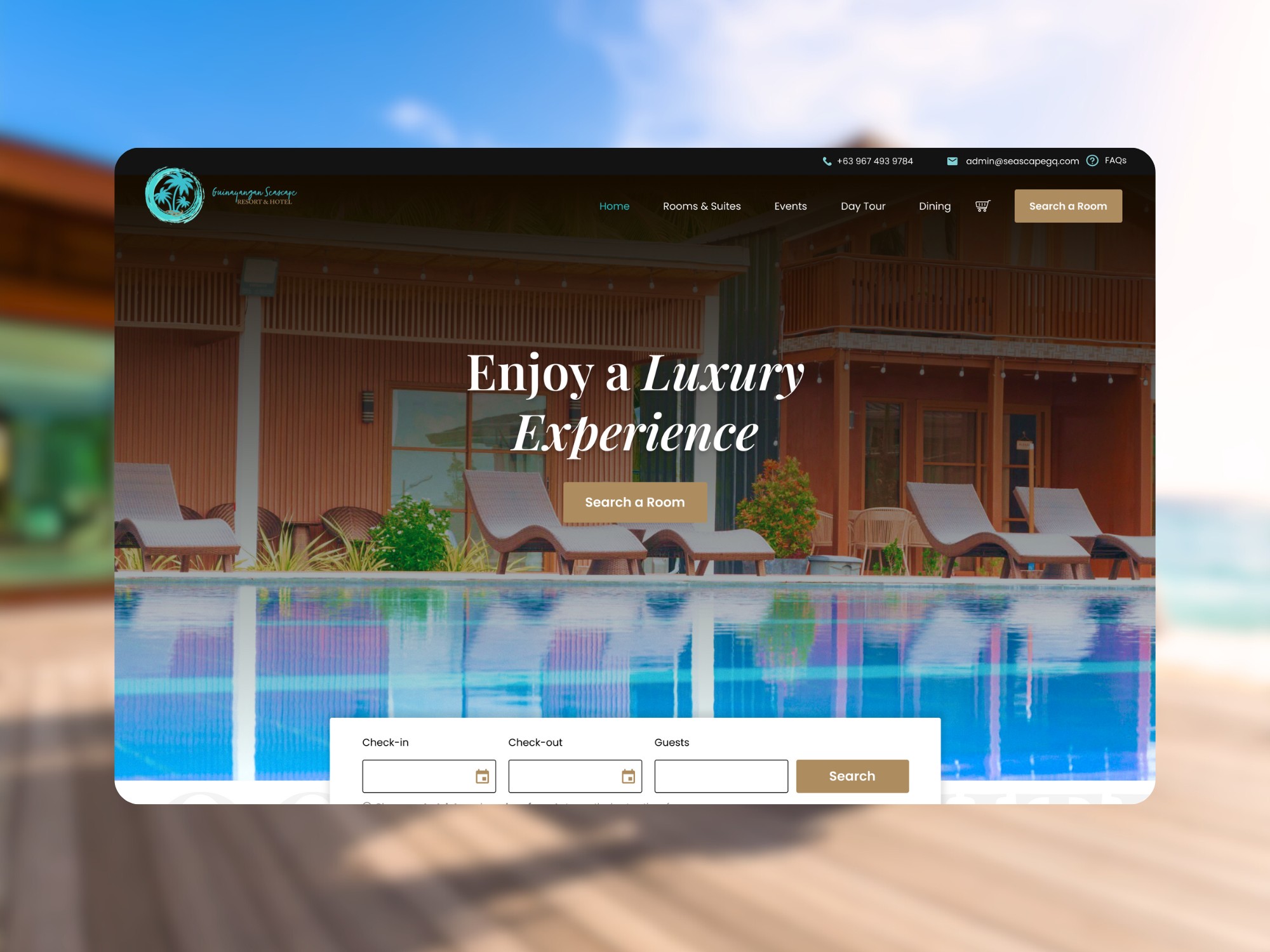
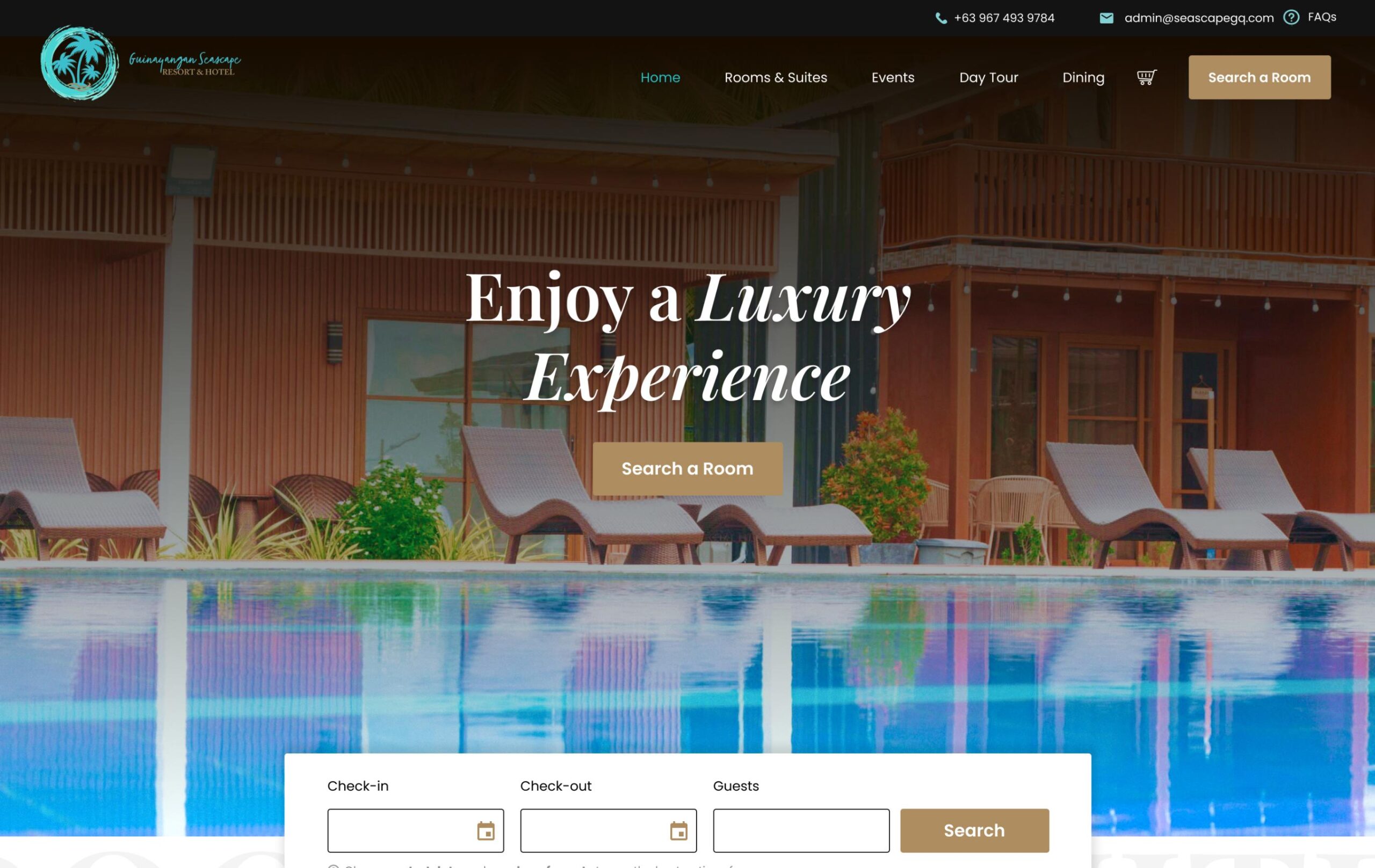
The Seascape Hotel & Resort Website
Actually, before trying it, I thought setup would be complicated, especially with availability calendars, pricing rules, and booking confirmations. But once I started working with the plugin, it turned out to be more flexible and beginner-friendly than I expected.
To be fair, you’ll still need some time to understand how the plugin works and how to make it fit your specific business process.
In this post, I’ll walk you through what the plugin offers and why I think it’s a solid choice if you’re planning to build a vacation rental website without relying on a full marketplace platform, though it does support syncing with third-party services like Airbnb. This quick introduction should help you understand what to expect, if you’re considering this plugin for creating a booking website.
The Original Plan
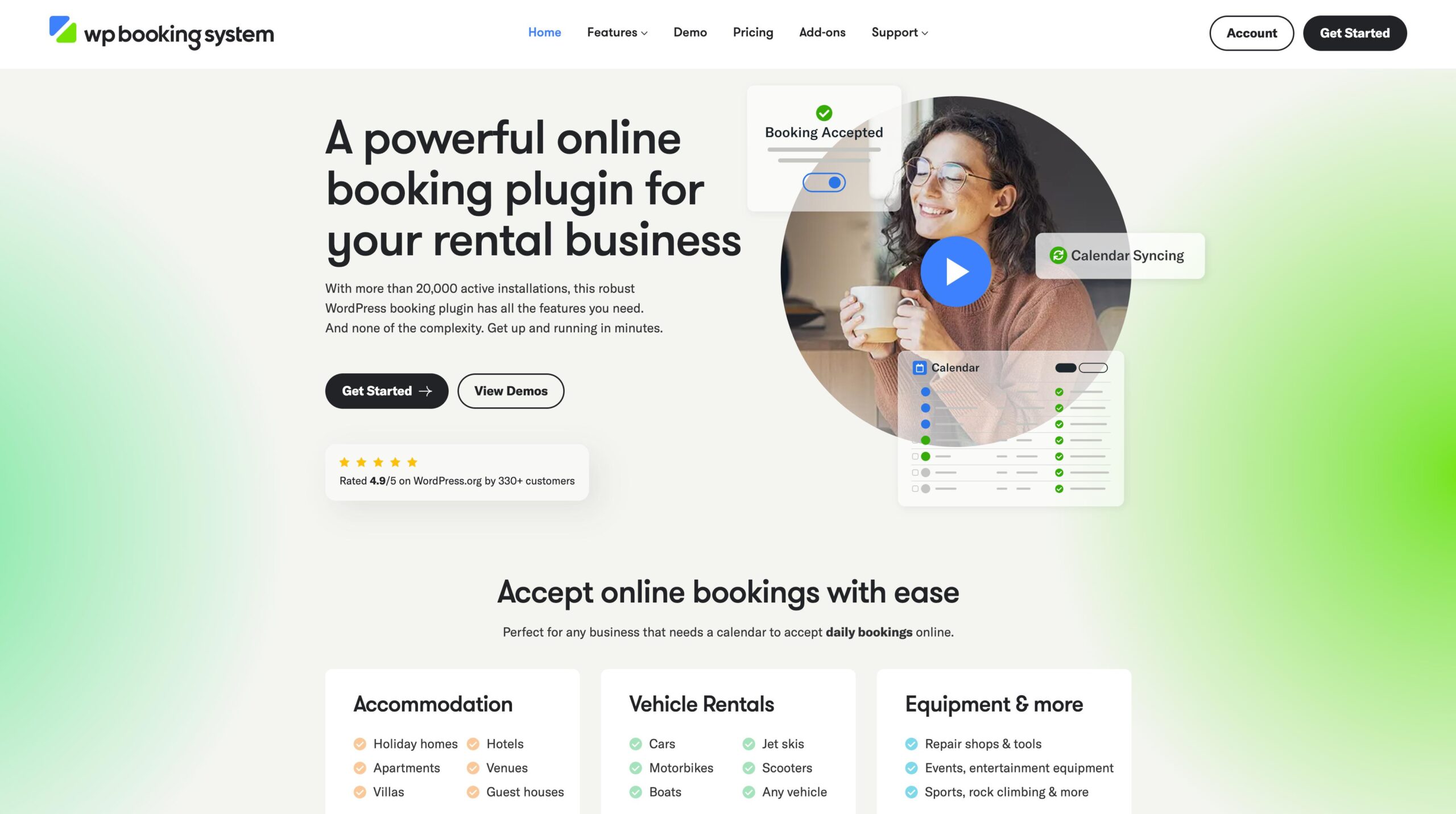
Okay, just a bit of context. At first, I recommended a simpler booking plugin for them called WP Booking System. It worked fine, but after a while, we realized it didn’t really fit what my client needed. So we decided to switch to something more advanced.
If you’re a single-property host and the cart-style flow isn’t a must-have, WP Booking System is still the most cost-effective option. I broke down the full cost of running a direct booking website with that exact stack in a separate post.
WP Booking System
Here’s why we made the switch:
The first plugin (WP Booking System) could only handle one room per booking. So if a guest wanted two different rooms (like one for a couple and another for their friends), they had to make separate bookings. And that’s not ideal for a property with multiple rooms, right?
So the goal this time was simple: let guests add multiple rooms or accommodations, check out once, and get one confirmation email.
Includes 3 months of Site Care + a Personalized Growth Guide
Why I Used YITH Booking & Appointment to Build a Vacation Rental Website
I’ve tried a few booking plugins before, like the one from MotoPress and WooCommerce Bookings. But the one from YITH really stood out. Honestly, it started with the reviews. Whenever I’m researching plugins, I always check first what people are saying and how many businesses actually use it. The Booking & Appointment plugin of YITH just seemed like the one that delivers, and it’s used by over 20,000 businesses.
The Yith Booking & Appointment for Woocommerce
This booking plugin comes with a wide range of features, and covering all of them would make this post much longer than necessary (you can explore the full list on their website). Instead, I want to focus on the main reason I chose it for my project.
1. It Works Really Well with WooCommerce.
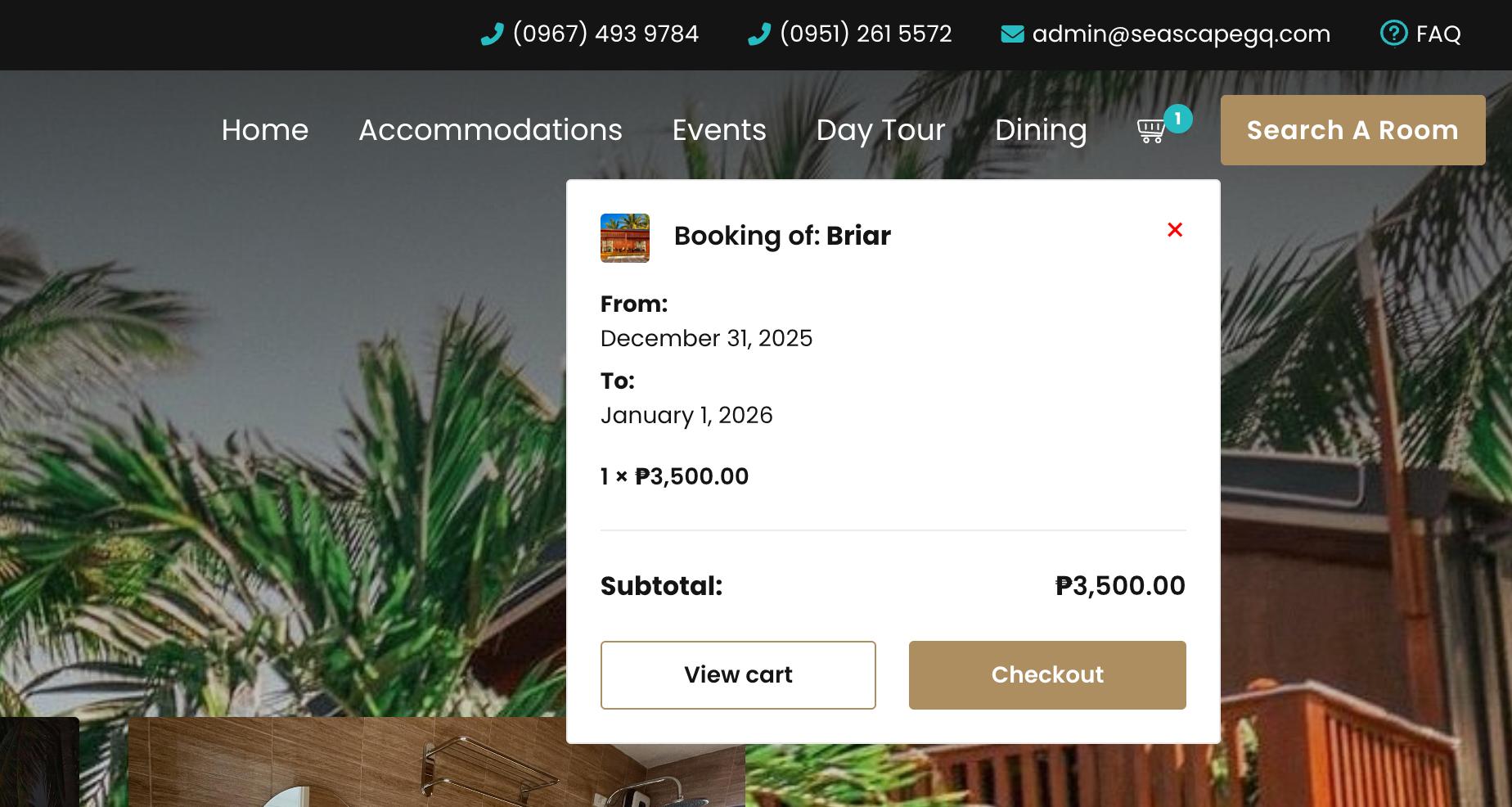
Since WooCommerce is the eCommerce plugin for WordPress and YITH Booking & Appointment is built on top of it, the integration is seamless and works right out of the box. Which also means I can use the same cart and checkout system. This solved our main goal of adding that “shopping cart” style booking feature. The plugin gave me exactly what my client wanted without building everything from scratch.
Woocommerce Mini Cart
2. Flexible Payment Gateway Options
Because it supports WooCommerce, the plugin works seamlessly with a wide range of payment gateways. This means you can easily connect Stripe, accept payments via PayPal, or use other WooCommerce-compatible options.
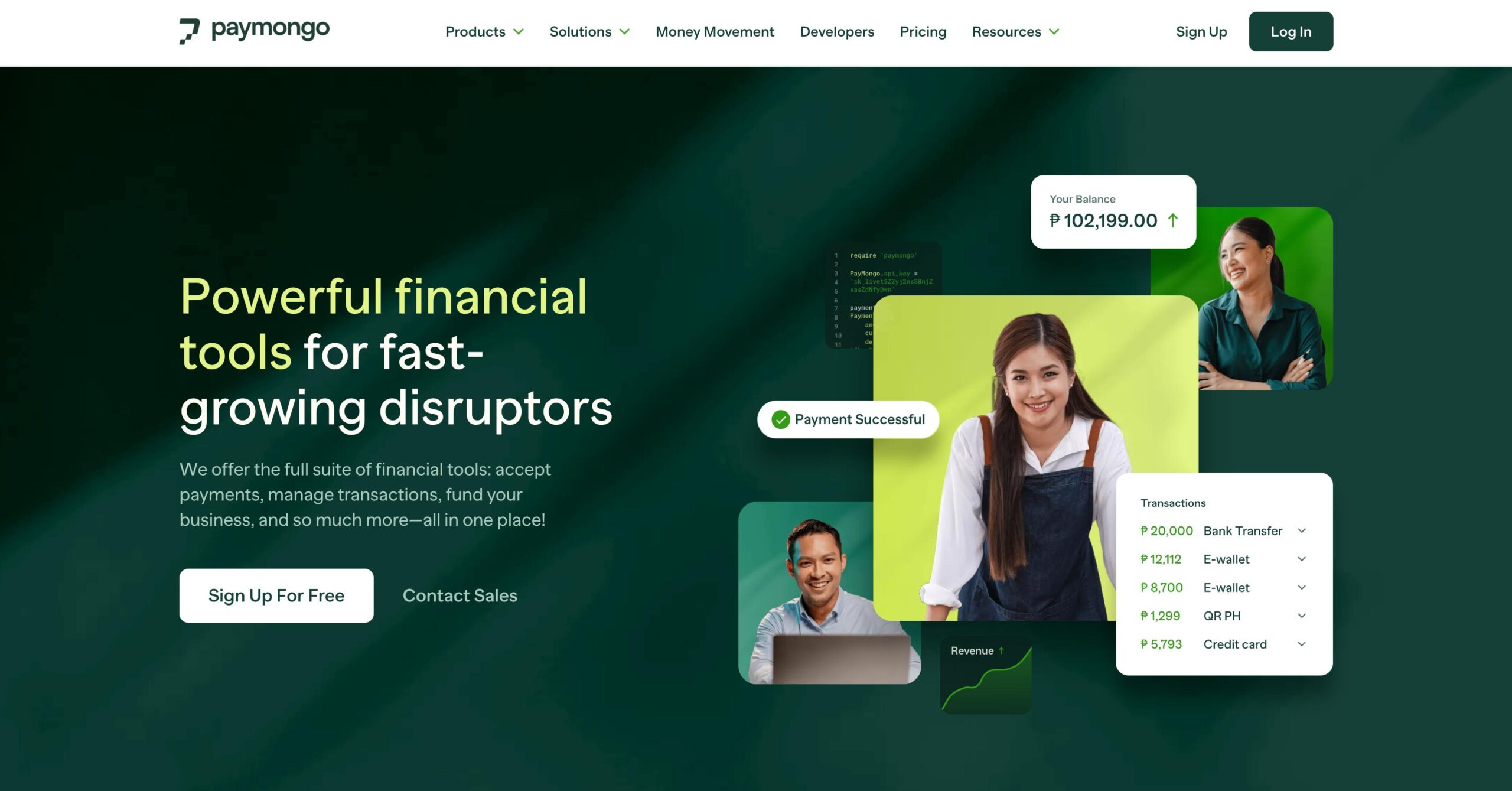
For this project, we’re planning to integrate PayMongo to enable credit card payments. PayMongo is one of the leading payment gateways in the Philippines, and it also offers solid developer support, which makes future customization much easier.
3. Managing Bookings from the Backend is Super Easy
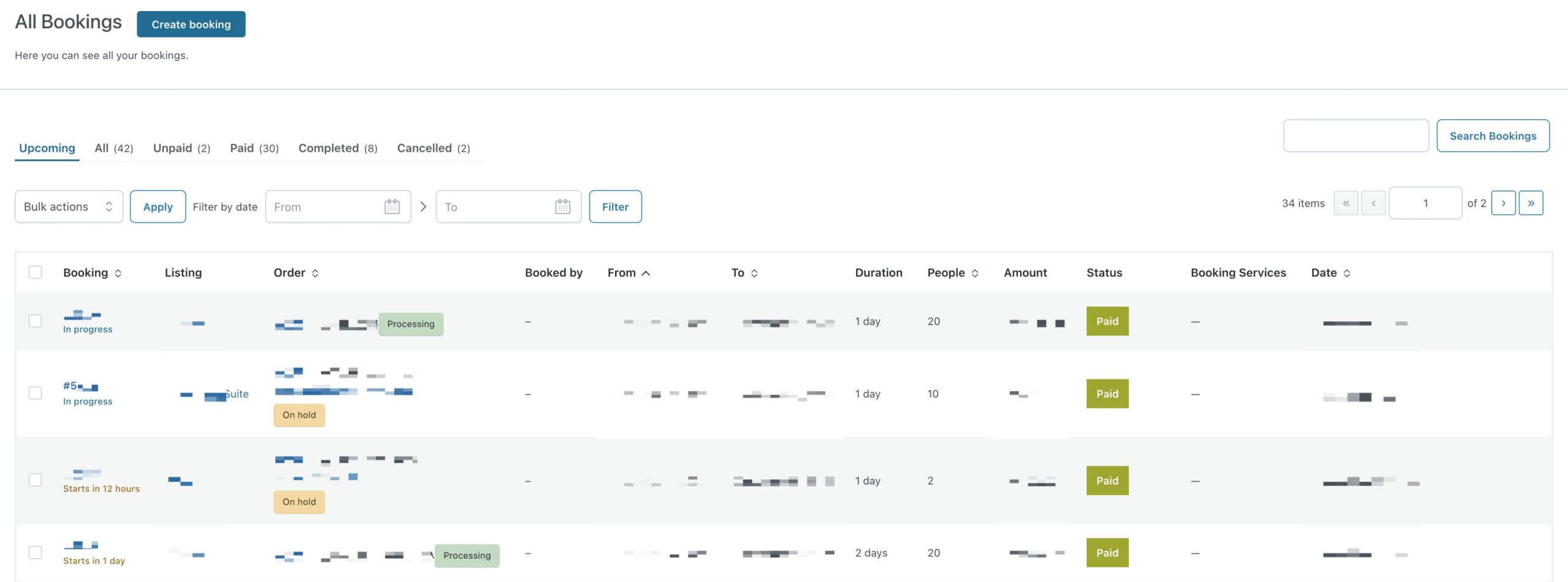
The Booking Calendar feature is really well organized. You can see upcoming bookings, paid ones, unpaid, cancelled, pending… all in one view. It makes tracking everything so much faster.
Booking & Appointment Dashboard
4. You Get a Lot of Flexibility when Creating Your Bookable Products
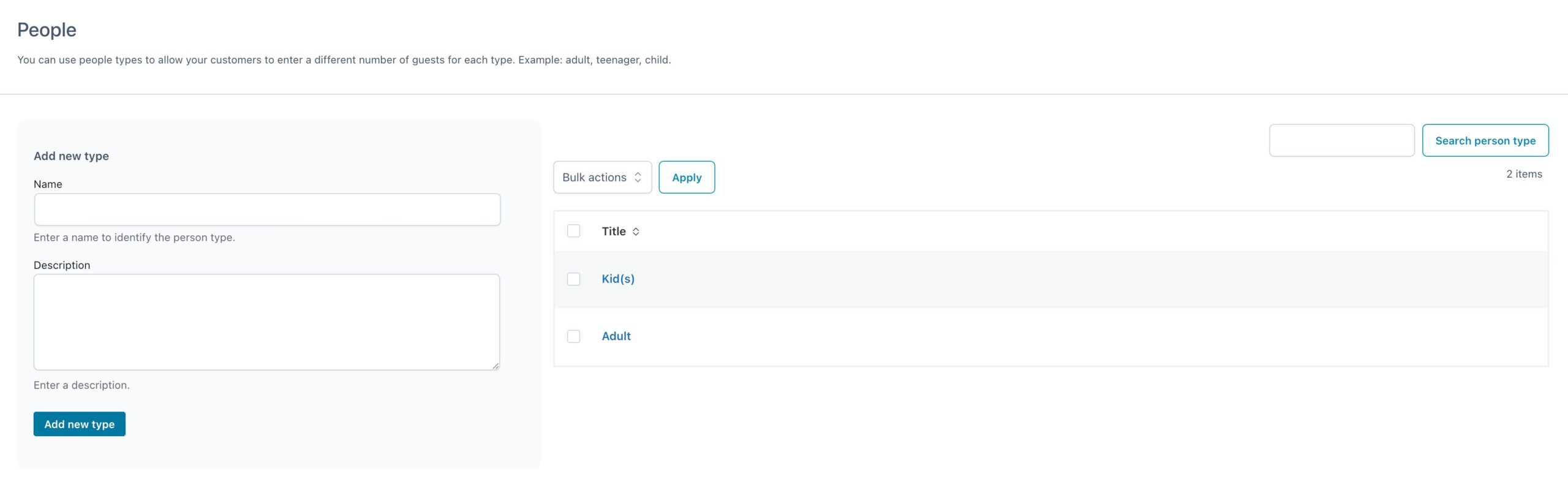
For example, you can set person types like adults and kids, and give them different prices. That’s super useful if your rooms have different rates depending on the guests.
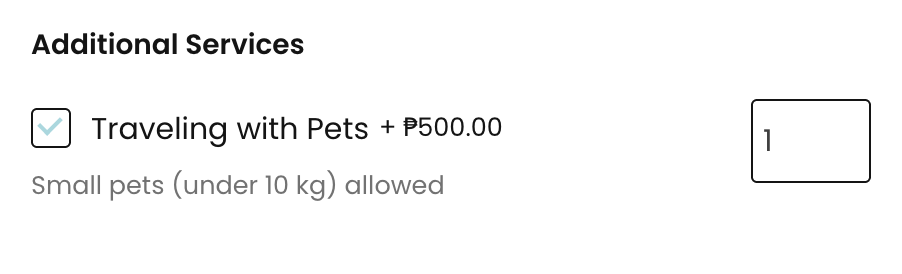
You can also add extra services or resources to each booking. So if the resort offers breakfast, cleaning, or maybe some gear like kayaks or tents, you can add those as options.
Sample of Extra Service
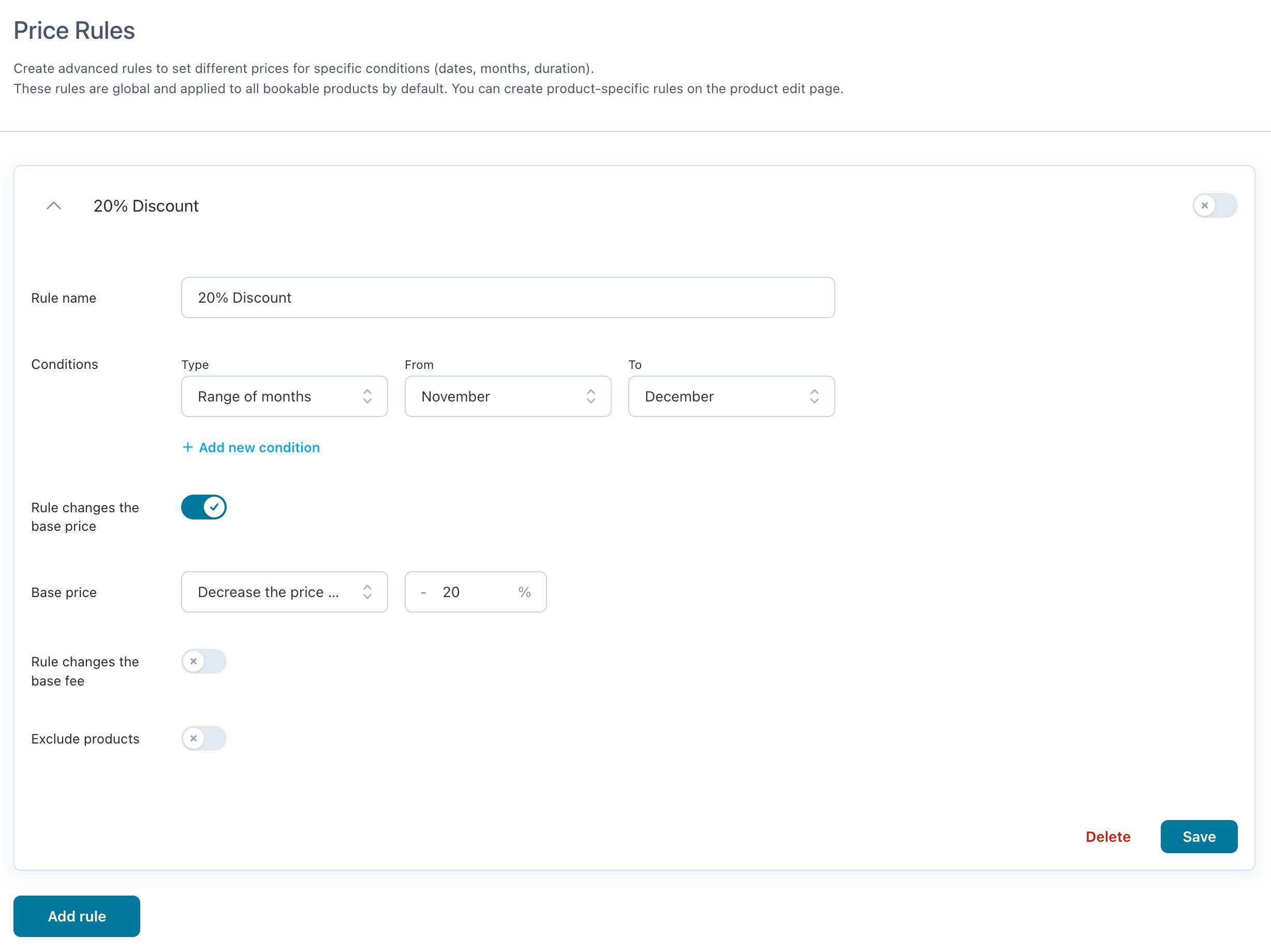
Another useful feature is the ability to set advanced pricing rules. You can define different rates for peak and off-season periods, giving you more control over pricing. In our case, we added a global discount for specific dates, such as a 20% promo during the lean season.
Global Price Rules
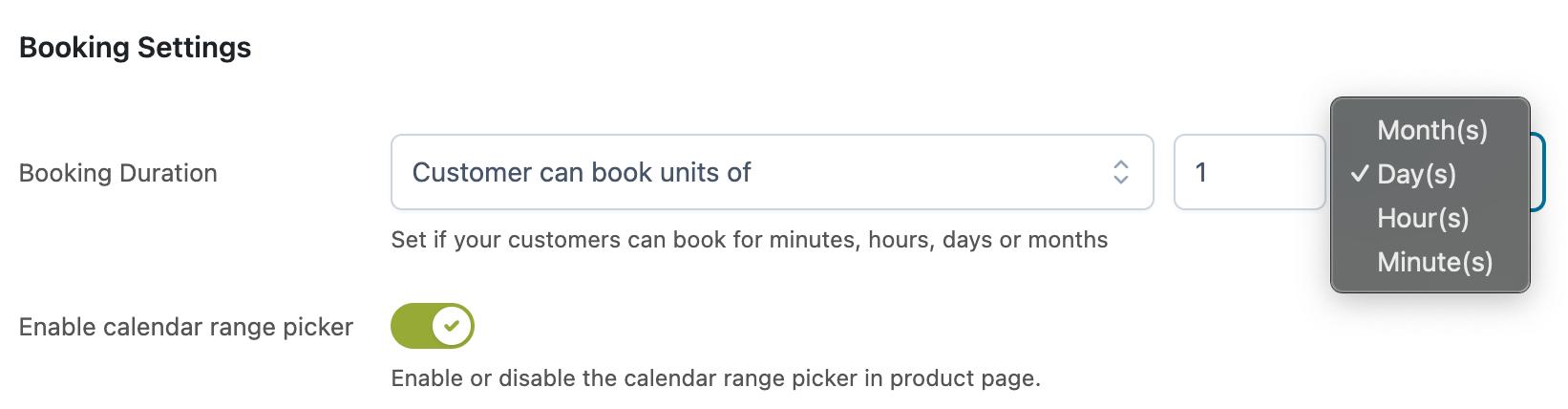
The booking duration options are also flexible. You’re not limited to a single format, as bookings can be set by month, day, hour, or even by the minute, which helps accommodate different use cases without additional setup.
So let’s say you have a vacation rental or a resort like my client. Maybe you also offer extra services like a spa, massage, or other short activities that only take an hour or two. You can easily create separate bookable products for those using the same plugin. No need to buy extra add-ons or install anything new. It’s already built in.
And it’s not just for resorts. You can use this for personal training sessions, dental checkups, or other appointment services. It’s flexible enough to handle all that.
All of this gives you a lot of control. You can make each room or accommodation work exactly the way your client wants, without needing custom code or extra plugins.
An Area That Could Be Improved
After using it in a real project, I noticed one area where the plugin could be improved, something that could meaningfully enhance the overall business process.
A Detailed Breakdown of Booking Cost
The YITH Booking & Appointment plugin has a lot of options when it comes to pricing your bookable products. You can create custom costs based on how many guests are staying, add discounts, charge for extra services (like breakfast or pet fees), and set different price rules for each product or apply them globally. You really have a lot of flexibility.
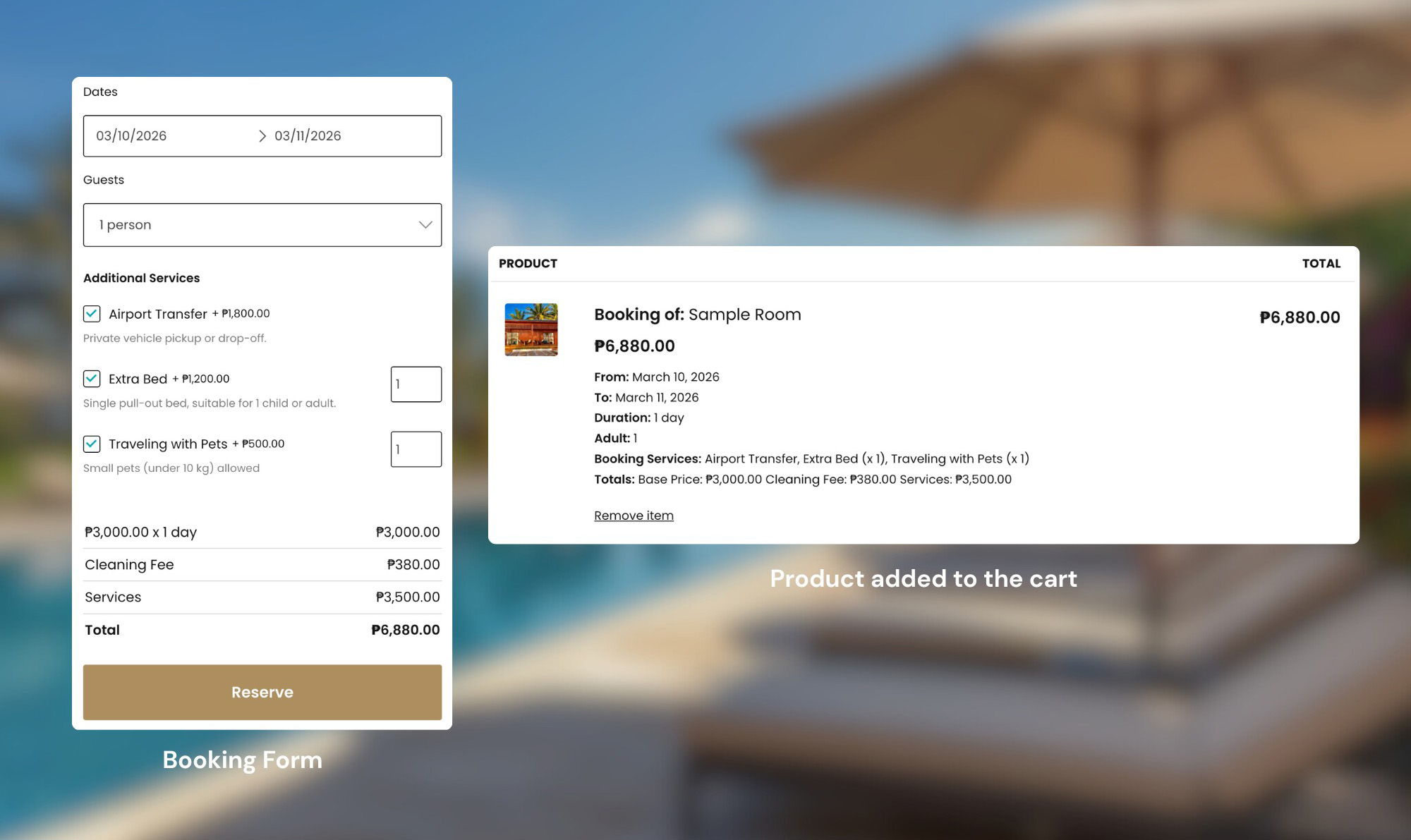
But here’s the thing: the more complex your booking rules get, the harder it is to track what actually changed in the pricing. You only see an overview, not the details. Honestly, the front end is fine. Guests can see what they selected and the prices are all listed there.
Frontend View
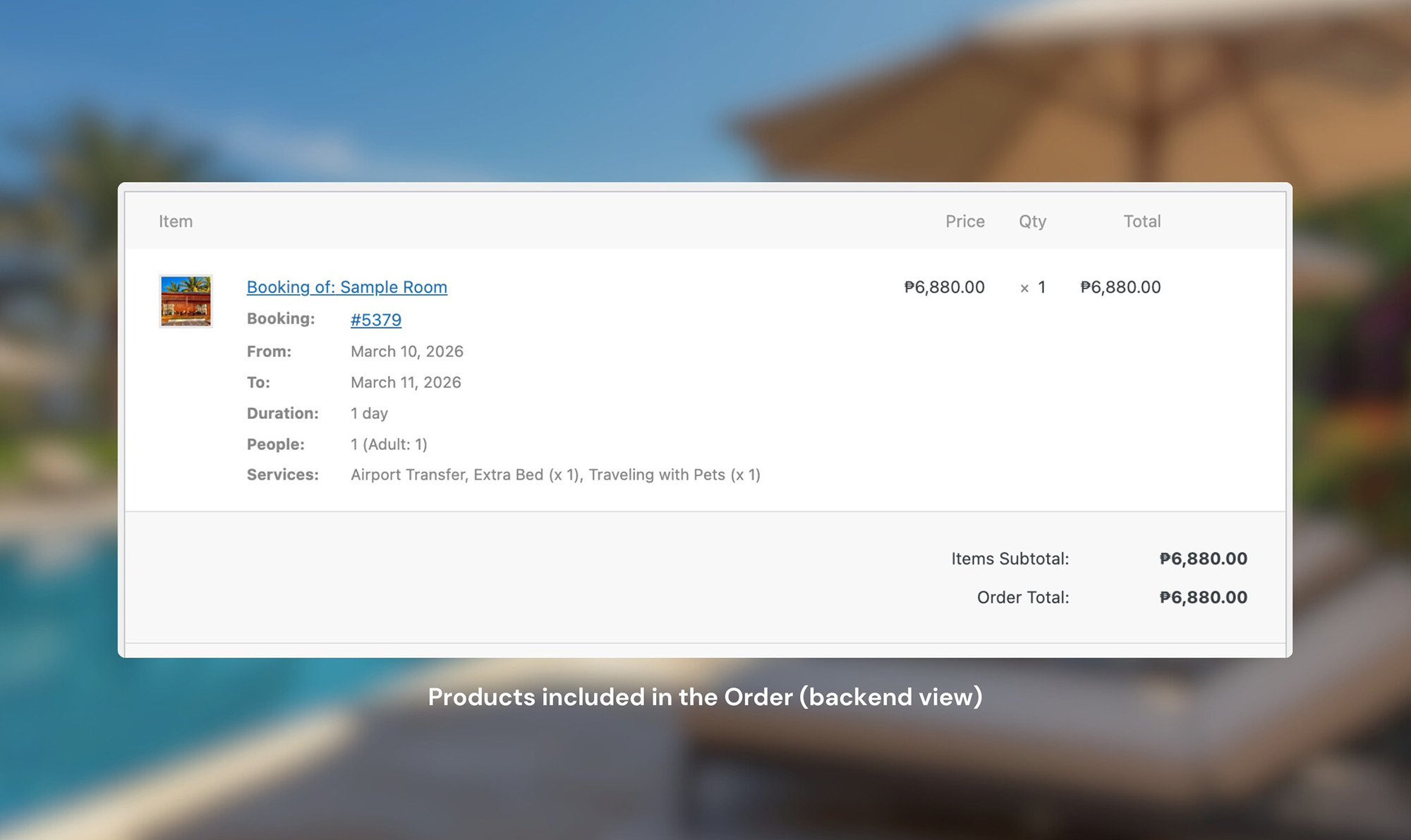
The backend, though, could be a bit more detailed. When you receive an order or booking, the admin gets some quick info. But if the guest added several services, you only see a total instead of individual amounts for each one.
Backend View
It’s not a major issue, but having that breakdown visible would be helpful for accounting and the front desk team. It would make tracking bookings easier without needing to dig through additional details.
Let Your Guests Book Directly on Your Website
Your own booking system, your own guest data, and less reliance on OTA commissions. It works alongside platforms like Airbnb, not against them.
Includes 3 months of Site Care + a Personalized Growth Guide
Wrapping-Up
Anyway, that’s what I went with for this project. We launched it recently and it’s been working really well. Still keeping an eye on things, but so far I’m really happy with the results.
If you’re working on something similar (like a hotel, resort, or rental property), I’d say check out YITH Booking & Appointment for Woocommerce. Especially if you already have a WordPress website, it fits right in. It’s not the only option out there, but it’s honestly one of the best I’ve found for handling multi-room bookings.
I’ve also built a vacation rental demo site using WP Booking System if you want to see how a different plugin handles the booking flow. See how the Coastip & Co. demo was built.
One last thing though. Shortly after launching, we found out that someone cloned the resort’s Facebook page to trick guests into fake bookings. If you’re running a rental business online, it’s worth knowing how to protect your business page from scammers.
That’s pretty much it. If you have any questions, feel free to ask. And if you’d like to see more content like this, just let me know, I’m always happy to share what I’m working on.
We use cookies to improve your experience on our site. By using our site, you consent to cookies.
This website uses cookies
Websites store cookies to enhance functionality and personalise your experience. You can manage your preferences, but blocking some cookies may impact site performance and services.
Essential cookies enable basic functions and are necessary for the proper function of the website.
Name
Description
Duration
Cookie Preferences
This cookie is used to store the user's cookie consent preferences.